
The “Anti-Budget” Method: Saving Without Tracking Every Cent
January 5, 2026
The True Cost of Subscriptions: Finding “Vampire” Charges
February 12, 2026How many times this week have you typed the exact same paragraph?
Whether it’s the standard "Thanks for reaching out, here are my rates..." email, the monthly struggle to re-format an invoice in Excel, or reinventing the wheel for a new client proposal, repetitive typing is a silent productivity killer.
It’s not just the time wasted typing; it’s the mental energy drained by rethinking things you’ve already decided. It’s the risk of copy-pasting an old invoice and forgetting to change the client’s name (we’ve all been there).
The solution is simple, unsexy, and incredibly powerful: Templates.
Creating a robust library of templates is one of the highest-ROI (return on investment) activities you can do for your business or freelance career. You spend an hour setting them up once, and you save dozens of hours over the next year.
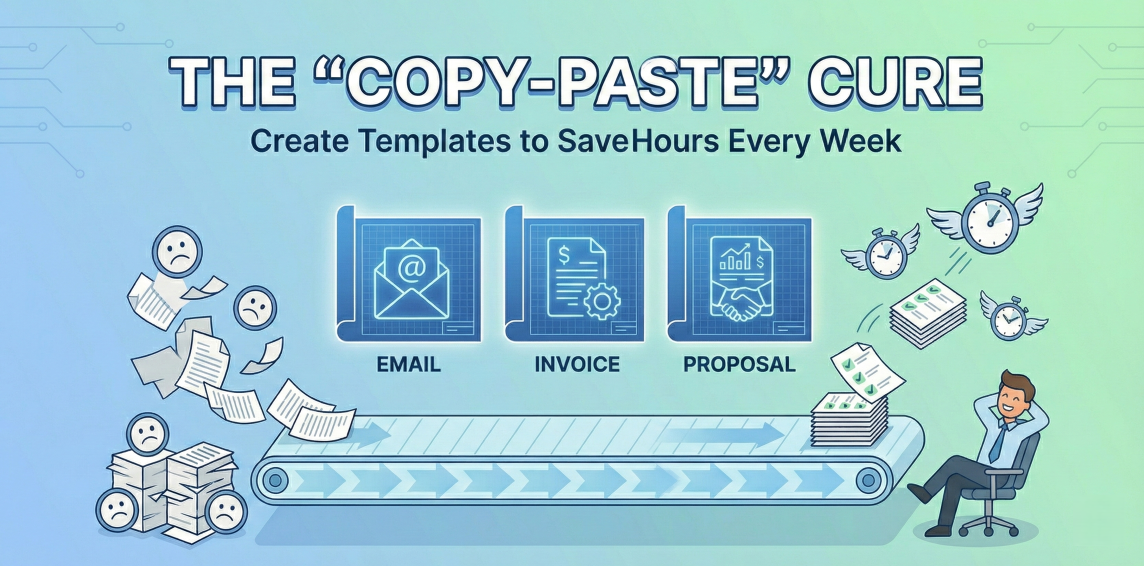
Here is a practical guide to creating templates for the "Big Three" administrative time-sucks: emails, invoices, and proposals.
The Golden Rule of Templating
Before we dive in, adopt this rule: If you find yourself typing something for a third time, turn it into a template. Don't wait until you have free time; do it right then. It takes two extra minutes now to save two hours later.
1. Email Templates (The Low-Hanging Fruit)
Emails are the easiest place to start because they are short, frequent, and highly repetitive.
What to Template:
-
The Inquiry Response: The standard reply to "How much do you charge?" pointing them to your services page or attaching a rate sheet.
-
The Onboarding Email: The "Welcome aboard!" email containing links to your project management tool, contract, and next steps.
-
The "Just Checking In" Follow-up: A polite nudge for clients who haven't responded to a proposal or invoice.
-
Common FAQs: Answers to questions you get asked constantly.
How to Do It: If you use Gmail, enable "Templates" (formerly Canned Responses) in your advanced settings. This allows you to save a draft and insert it into a new email with two clicks. Outlook has a similar "Quick Parts" feature.
Pro Tip: Use placeholders like [CLIENT NAME] or [DATE] in all caps and bold so you never forget to customize them before hitting send.
2. Invoice Templates (Getting Paid Faster)
A messy, unclear invoice invites questions, and questions delay payment. A professional template ensures accuracy and builds trust.
The Essential Elements: Your template must always include: your business info, the client's info, a unique invoice number, the date, clear line items of service, the total due, and—most importantly—clear instructions on how to pay.
How to Do It:
-
The "Zero Dollar" Route: Google Sheets or Docs have excellent, clean invoice templates in their template gallery. Open one, customize it with your logo and details, and save it as your "MASTER Invoice." Every time you need to bill someone, make a copy of the master.
-
The Automated Route: If you send more than five invoices a month, move to free software like Wave Apps, Zoho Invoice, or the free tiers of FreshBooks. You set up the template once, and then just select a client and items from a dropdown menu.
3. Proposal Templates (Winning More Work)
Proposals are often the most daunting task. They feel unique every time, so we start from a blank page every time. This is a mistake.
A good proposal is actually 80% boilerplate and 20% customization.
The Modular Approach: Don't think of a proposal as one giant document. Think of it as Lego blocks. Create a "Master Deck" containing every possible section you might need:
-
About Us / Our Philosophy (Boilerplate)
-
Case Studies / Testimonials (Boilerplate)
-
Standard Terms & Conditions (Boilerplate)
-
The Client’s Problem / Goals (Custom 20%)
-
Scope of Work & Timeline (Custom 20%)
-
Investment / Pricing Options (Custom 20%)
When a new lead comes in, open your Master Deck and delete the sections that aren't relevant to them. Then, spend your mental energy polishing only the custom sections that address their specific needs.
How to Do It: Google Slides or Canva are fantastic for visually appealing proposal templates. If you want tracking analytics (like knowing when a client opened the proposal) and electronic signatures, look into tools like PandaDoc or Proposify.
Summary
Templates aren't about being lazy; they're about being efficient so you can spend your energy on the high-value work you actually enjoy. Start today by turning just one repetitive email into a template, and watch how much lighter your inbox feels.